
How it works: applied in the kernel, not injected into pages as scripts
Fingerprint settings do not rely on injecting JavaScript into web pages. Creating or editing a profile saves a configuration; when you open the profile, Prism converts it into launch arguments for the Chromium fingerprint kernel compiled by the maintainer (based on fingerprint-chromium patches, ungoogled-chromium build recipes and Prism’s own patches).
As a result, a web page reads the same identity in the main window, iframes, Dedicated / Shared / Service Workers, OffscreenCanvas and AudioWorklet. The maintainer’s audit tools check that these execution contexts are consistent and that the same seed stays stable across different data directories. For kernel versions and sources, see Fingerprint kernel.
Note: when you use the Pro multi-window synchronizer or MCP, Prism runs scripts in the page through the browser’s DevTools protocol to read and act on it; this is unrelated to fingerprint settings.
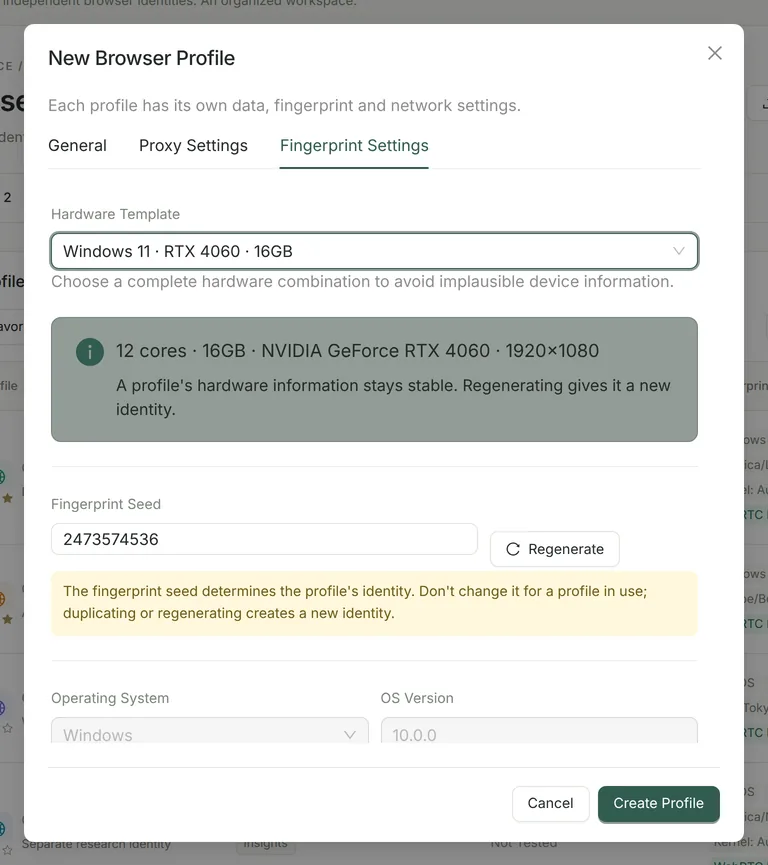
10 hardware templates
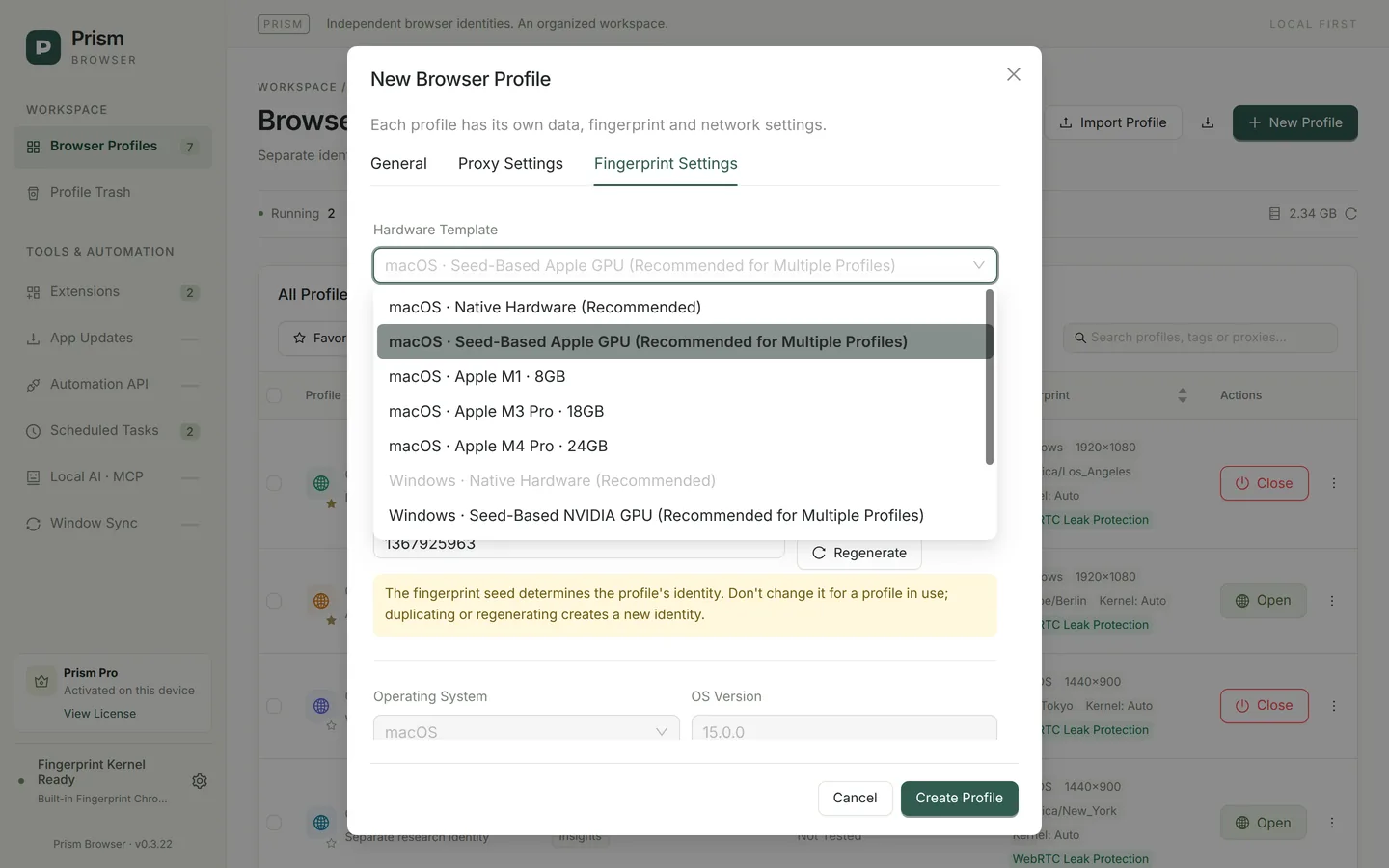
A hardware template sets the platform, OS version, CPU cores, screen resolution and GPU together, avoiding implausible combinations such as “a Windows system reporting an Apple GPU”. New profiles use the “Seed-Based” template for your computer’s operating system by default.
| Template | CPU | Resolution | GPU |
|---|---|---|---|
| macOS · Native Hardware (Recommended) | This computer’s actual core count | 1440×900 | Host GPU; keeps host fonts, Canvas and Audio; selectable on macOS only |
| macOS · Seed-Based Apple GPU (Recommended for Multiple Profiles) | 8 cores | 1440×900 | One of 11 Apple M1–M4 series GPUs, fixed by the seed |
| macOS · Apple M1 · 8GB | 8 cores | 1440×900 | Apple M1 |
| macOS · Apple M3 Pro · 18GB | 12 cores | 1512×982 | Apple M3 Pro |
| macOS · Apple M4 Pro · 24GB | 12 cores | 1512×982 | Apple M4 Pro |
| Windows · Native Hardware (Recommended) | This computer’s actual core count | 1920×1080 | Host GPU; selectable on Windows only |
| Windows · Seed-Based NVIDIA GPU (Recommended for Multiple Profiles) | 8 cores | 1920×1080 | One of the NVIDIA RTX 30 / 40 series desktop GPUs (18 models, 27 device IDs), fixed by the seed |
| Windows 10 · RTX 3060 · 16GB | 8 cores | 1920×1080 | NVIDIA GeForce RTX 3060 |
| Windows 11 · RTX 4060 · 16GB | 12 cores | 1920×1080 | NVIDIA GeForce RTX 4060 |
| Windows 11 · RTX 4070 · 32GB | 16 cores | 2560×1440 | NVIDIA GeForce RTX 4070 |
The memory size in a template name only distinguishes the combinations; navigator.deviceMemory, which web pages can read, reports at most 8 in Chrome, and Prism also reports 8. Except for “Native Hardware”, templates can be used on the other operating system — for example, to create a Windows identity on a Mac — in which case common fonts of the target system are mapped to local fonts.
Fingerprint seed: what defines a profile’s identity
Each profile has a fingerprint seed between 0 and 4294967295, generated randomly when the profile is created. Together with the template, the seed determines details such as the GPU model, Canvas, WebGL, Audio and ClientRects: the same seed gives the same result at every launch, and different seeds stay distinct from each other.
- Duplicating a profile or clicking “Regenerate” gives a new seed — that is, a new identity.
- Do not change the seed or template of a long-term account profile casually; existing profiles never switch templates automatically when the app is updated.
- When creating profiles in bulk, you can set the seed in the
fingerprint_seedcolumn of the CSV; leave it empty for a random seed per profile. See Bulk profile management.
Signal by signal: how Prism handles each one
| Signal | How Prism handles it |
|---|---|
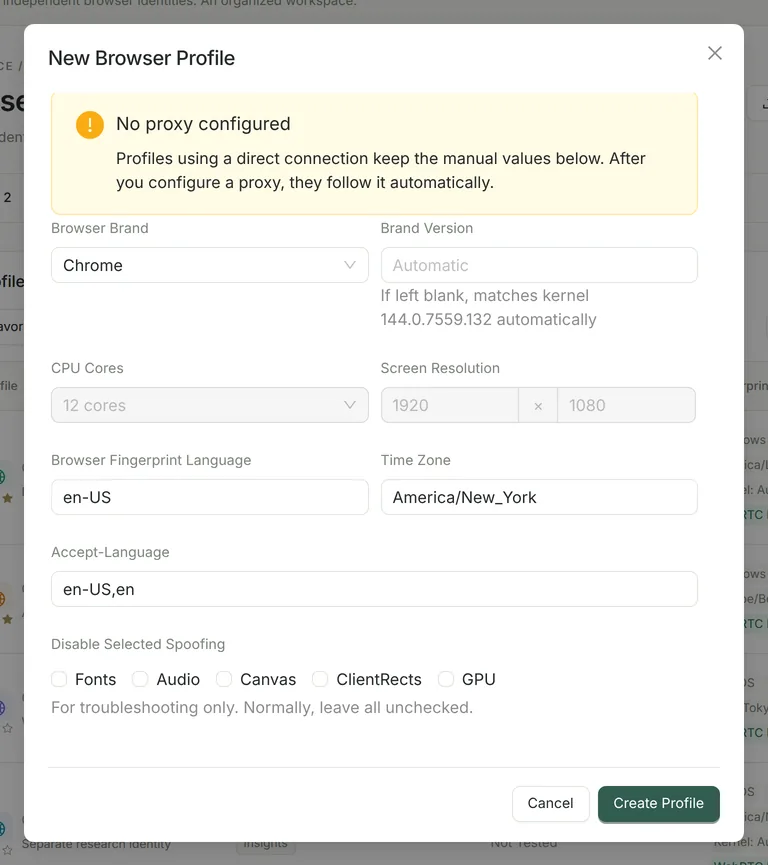
| User-Agent and Client Hints (UA-CH) | Brand: Chrome or Edge. If the brand version is left empty, the kernel’s actual four-part version number is used, and the UA, UA-CH high-entropy fields and HTTP Client Hints all come from the same source. A manually entered major version that does not match the kernel blocks the launch. A fully custom UA string is not available. |
| OS platform and version | Set by the template (Windows or macOS). The macOS native template reads the host macOS version at launch; Windows templates (including those with “Windows 11” in the name) all report OS version 10.0.0 in Client Hints. |
| CPU cores | The template value (8 / 12 / 16) or the host’s actual number of logical cores. |
| Screen resolution | The template value; screen and CSS device-width stay consistent, and the available height accounts for the Windows taskbar or the macOS menu bar. |
| Language and Accept-Language | Follows the proxy exit by default and is matched to the country automatically (24 countries / regions built in); it can also be set manually. See Network identity. |
| Time zone (Date / Intl) and geolocation | The IANA time zone and city-level coordinates (accurate to about 25 km) of the proxy exit; in manual mode, you can enter any valid IANA time zone. |
| Canvas | Small, deterministic rendering differences derived from the seed (such as sub-pixel text offsets), with no random noise that changes on every read: stable within a profile, different between profiles. |
| WebGL and GPU | WEBGL_debug_renderer_info reports the vendor and renderer of the template GPU (such as ANGLE NVIDIA GeForce RTX 4060 or Apple M3 Pro), and pixel reads vary slightly by seed; the vendor and architecture of the WebGPU adapter are adjusted to match. |
| Audio | OfflineAudioContext output is subtly permuted by seed while keeping its overall statistical characteristics. |
| ClientRects / DOMRect | Element and Range rectangles are scaled by a tiny, deterministic amount based on the seed. |
| Fonts | Host fonts are kept when the template matches the host system; when emulating another system, target-system fonts are mapped and most fonts that do not belong to the target system are hidden. |
| WebRTC | “Leak Protection” by default, which blocks non-proxied UDP. See Proxies and network identity. |
| Automation traces | navigator.webdriver is not set to true by automation switches, and the HeadlessChrome marker is removed. |
| Window identification | Window titles show “[number] name”; the macOS Dock icon carries the profile number, and the Windows taskbar groups windows by profile and shows the number. |
Native hardware, seed-based or a fixed template?
| Need | Recommendation |
|---|---|
| Only one or two profiles, with the most natural rendering signals | Native Hardware: keeps the host GPU, fonts, Canvas and Audio. Note that multiple profiles using a native template are identical in these signals. |
| Several profiles used at the same time that need to be told apart | Seed-Based template (default): each profile’s GPU model and rendering details are fixed by its seed. |
| A specific device combination (such as a particular Mac or graphics card) | Fixed template: Apple M1 / M3 Pro / M4 Pro or RTX 3060 / 4060 / 4070. |
| An account profile already in long-term use | Keep its current template and seed. If you need to change something, duplicate it and test on the new profile first. |
How to verify fingerprints
When checking with pages such as CreepJS, Pixelscan or BrowserLeaks, compare at least two profiles, test again after a restart to confirm stability, and record the OS, Prism and kernel versions, the test time and the specific failing fields instead of looking only at red and green. Results are also affected by proxy reputation, real hardware and changing website rules. For the full method, see What a browser fingerprint is and how to test it.
FAQ
- A fingerprint test shows red. Is the profile broken?
- Not necessarily. First identify the specific field: a detected proxy, a time zone that does not match the IP, font differences, or a test site applying rules for newer versions to an older kernel. Proxy problems need a different proxy; for time zone problems, use “Apply Proxy Time Zone” in the proxy settings.
- Can I fully customize the UA, memory or resolution?
- You cannot enter a free-form UA string; the brand version is matched to the kernel automatically. CPU, resolution and GPU are set together by the template to avoid contradictory combinations. Older profiles keep their “Legacy Custom Configuration” so their existing identity does not change.
- Are mobile or Linux fingerprints supported?
- No. Prism only emulates Windows and macOS desktop identities.
- Do Community and Pro have the same spoofing capabilities?
- Fingerprint settings are the same in both editions. Community uses the bundled Chromium 144 kernel; Pro can also use Chromium 150 / 153 kernels. See Fingerprint kernel.