
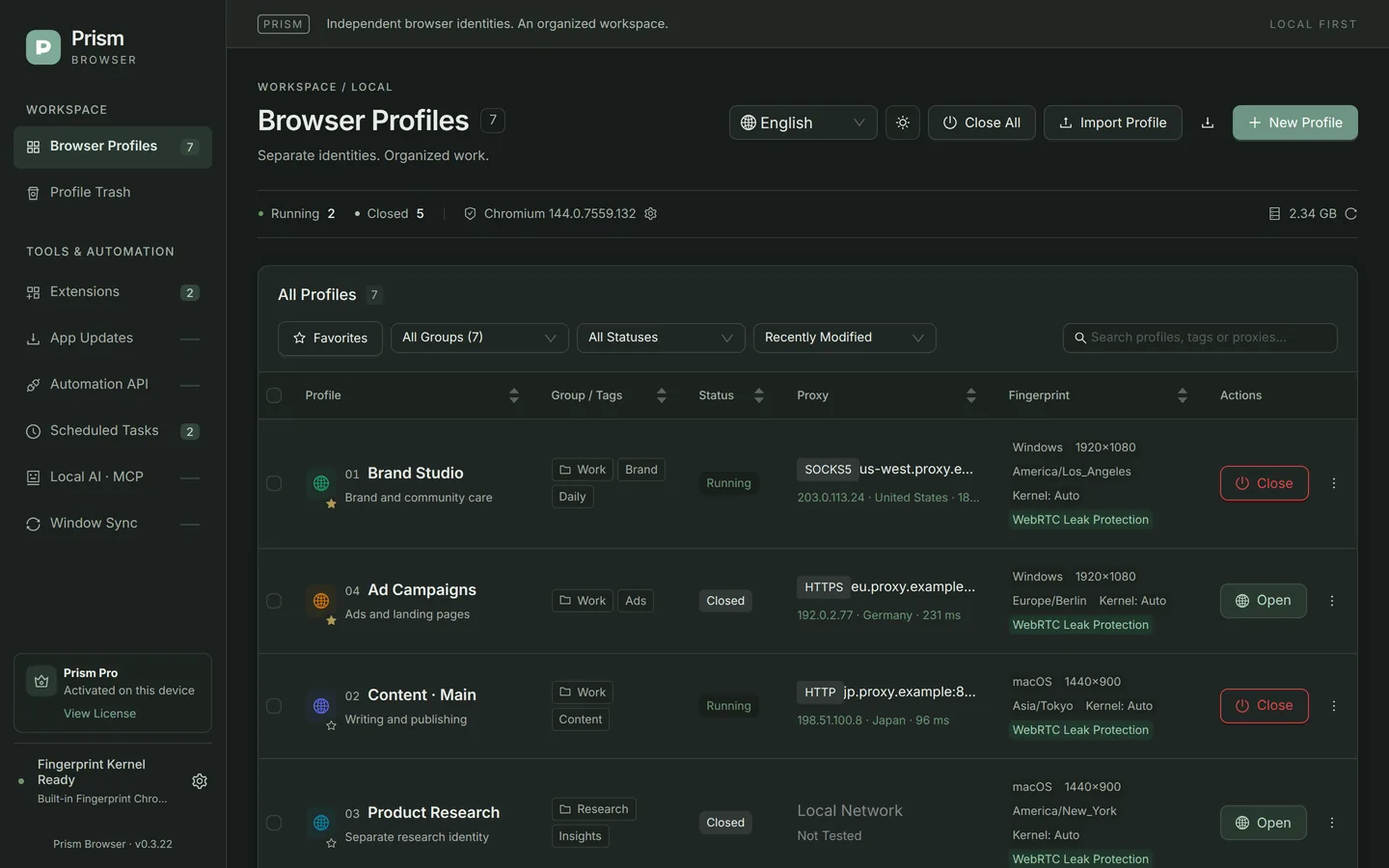
Installation: DMG and Gatekeeper
Download the DMG
On the download page, choose the macOS version (Apple Silicon); a ZIP is also available.
Verify the SHA-256
Run
shasum -a 256 ~/Downloads/Prism-Browser-0.3.22-macos-arm64.dmgin Terminal and compare the result character by character with the entry of the same name in SHA256SUMS.txt on the release page.Move it to Applications and open it
Open the DMG and drag Prism Browser into Applications. The current version is not notarized by Apple; if macOS blocks it the first time you open it, go to “System Settings → Privacy & Security” and choose “Open Anyway” at the prompt.
Native kernel
The installer bundles the Chromium 144.0.7559.132 fingerprint kernel compiled for macOS arm64; with Pro, you can download the macOS builds of the Chromium 150 / 153 kernels in the app. Downloaded kernels are checked for SHA-256, code signature, CPU architecture and version number. See Fingerprint kernel for details.
macOS hardware templates
On a Mac, you can choose:
- macOS · Native Hardware (Recommended): keeps this Mac’s GPU, fonts, Canvas and Audio; available only on a Mac.
- macOS · Seed-Based Apple GPU (Recommended for Multiple Profiles): 8 cores, 1440×900; the seed picks a fixed GPU from Apple M1, M1 Pro, M2, M2 Pro, M2 Max, M3, M3 Pro, M3 Max, M4, M4 Pro and M4 Max.
- Fixed templates: Apple M1 · 8GB, Apple M3 Pro · 18GB, Apple M4 Pro · 24GB.
- Windows identities on a Mac: you can also choose a Windows template; common Windows fonts are then mapped to local fonts, and most non-Windows fonts are hidden.
Details on macOS
| Area | Description |
|---|---|
| Telling profiles apart | Each profile’s icon in the Dock shows its profile number, and window titles show “[number] name”. |
| Proxy passwords | Encrypted with the macOS Keychain (through the system’s secure storage) whenever available. |
| Data location | Profile data is stored under ~/Library/Application Support/prism-browser/vault/, with a separate folder for each profile. |
| Window sync (Pro) | Real-time address bar sync requires permission in “System Settings → Privacy & Security → Accessibility”. |
| MCP (Pro) | The default configuration command is /Applications/Prism Browser.app/Contents/Resources/pro-agent/prism-pro-agent; use “Copy MCP Configuration” in the app to get the actual value. |
| Dark mode | Switch between light and dark themes in the top-right corner; your preference is saved locally. |
Current limitations
- Only Apple Silicon packages are available; there is no Intel Mac version.
- The packages are not notarized by Apple and must be allowed manually, so download only from the official Releases page and verify the checksum.
- When migrating from Mac to Windows (or the other way around), Keychain-protected cookies and passwords may not decrypt, and you will need to sign in again.
FAQ
- Does it work on M1 / M2 / M3 / M4?
- Yes. The package is built natively for Apple Silicon and works on Macs with M-series chips.
- What if macOS says the developer cannot be verified, or the app won’t open?
- First make sure the file came from the official GitHub Releases page and its SHA-256 matches, then choose “Open Anyway” in “System Settings → Privacy & Security”. If macOS says the app “is damaged”, after confirming the source and checksum you can run
xattr -dr com.apple.quarantine "/Applications/Prism Browser.app"in Terminal to remove the download quarantine flag and open it again. This skips Gatekeeper’s check for the app, so only do this for an official package you have verified. - Do the Mac and Windows versions have the same features?
- Profile management, fingerprints, proxies, extensions and backups are the same on both platforms, and Pro features such as window sync and MCP are supported on both. Exact kernel version numbers may differ.